December 3, 2025
TikTok Shop Compliance Update: Master Prop 65 & Choking Labels
December 3, 2025
TikTok Shop Compliance Update: Master Prop 65 & Choking Labels
Don’t let compliance kill your viral moment. Learn how to update Prop 65 and Choking Hazard declarations on TikTok Shop to keep your store safe and scaling.
The "Boring" Stuff That Saves Your Brand from Getting De-Listed
Imagine this: Your latest hook just went viral. The views are climbing, the orders are flooding in, and your inventory is flying off the shelf. Then, suddenly—darkness. Your product listing gets suppressed, or worse, your shop gets flagged. Why? Because you missed a simple compliance checkbox.
In the fast-paced world of TikTok Shop growth, it’s easy to get obsessed with GMV and forget the backend basics. But as a TikTok marketing agency that scales brands daily, we know that staying compliant is the unsexy secret to longevity.
Currently, TikTok Shop requires strict adherence to specific US safety standards, specifically regarding California Proposition 65 and Choking Hazards. If you aren't declaring "Yes" or "No" on these fields, you are leaving your account vulnerable. Here is how Zorilla Marketing helps you navigate the red tape so you can get back to creating content.
The Compliance Check: Prop 65 & CPSC Explained
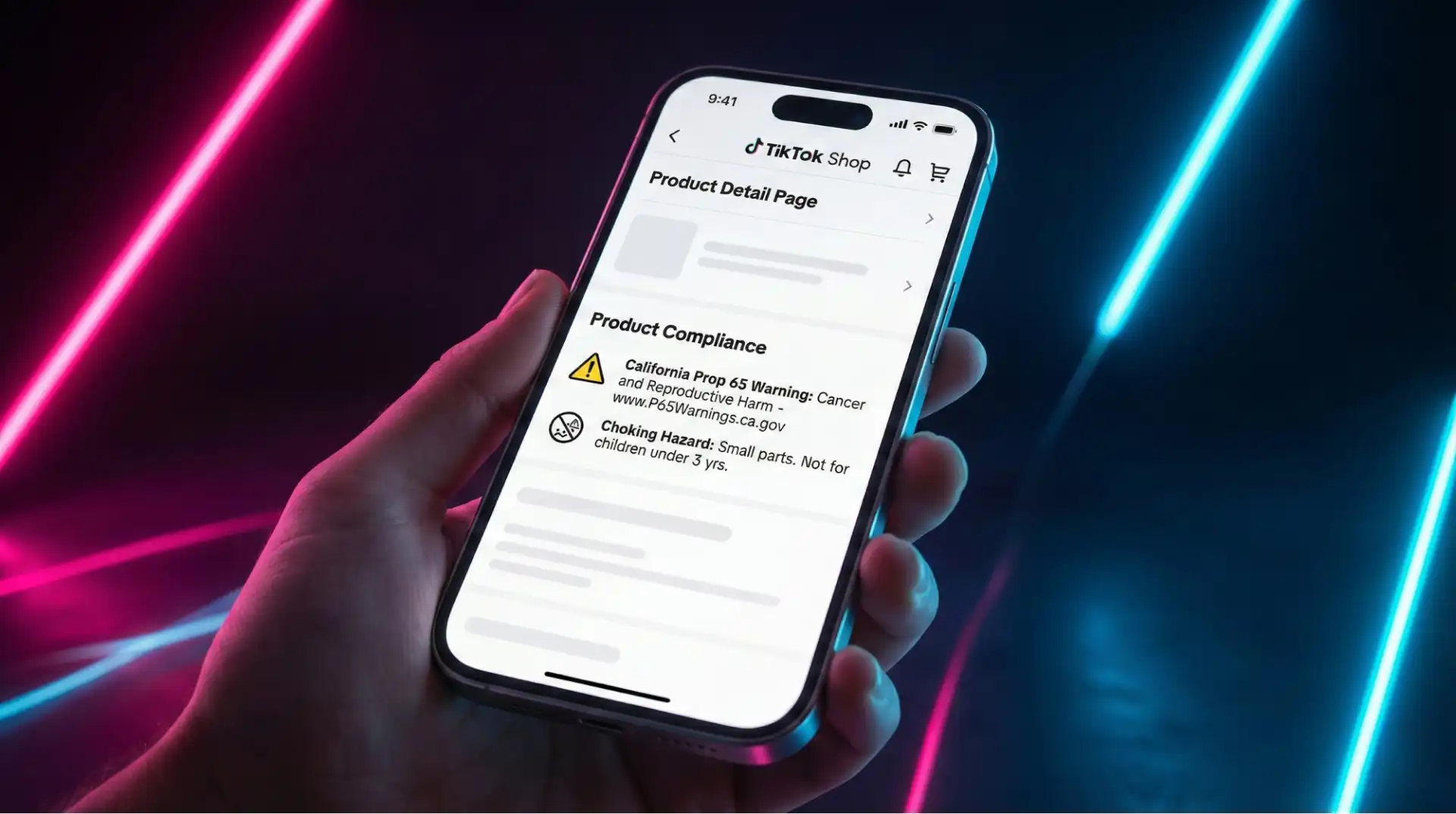
You might think your product is safe, but the algorithm and the law don't operate on vibes. You need to be explicit. There are two main areas you need to address immediately in your Product Detail Page (PDP):
California Proposition 65 (Prop 65): This is a mandatory declaration regarding chemicals. You must warn customers if your product contains chemicals identified by the State of California as potentially causing cancer, birth defects, or reproductive harm. Even if you don't sell exclusively to California, this is a standard requirement for US compliance.
CPSC Choking Hazard: If your product includes small parts, you must display a specific choking hazard warning defined by the U.S. Consumer Product Safety Commission (CPSC).
The Gen-Z Marketer’s Take:
Think of these labels as the "nutrition facts" for your merch. Being transparent doesn't just keep you legal; it builds trust. You must declare "Yes" or "No" for every single product listed under both of these sections.
How to Update Your Listings (Without Losing Your Mind)
If you have a massive catalog, don't panic. You don't need to rebuild your shop from scratch. You can update existing listings through the Qualification Center. Here is the TikTok Shop services playbook for manual updates:
Navigate to the Hub: Go to your Seller Portal, hit the Store icon, and go to My Account → Account Settings.
Find the Compliance Tab: Open the Qualification Center and look under "Product Compliance" to see exactly how many products need updates.
The Fix: Click "Upload" on the relevant product.
For Prop 65: Scroll to Product Compliance and select "Yes" or "No" for Carcinogens and Reprotoxic Chemicals.
For Choking Hazards: Select the appropriate description (e.g., "Small Parts," "Balloon," "Marble") or select "No Warning Applicable".
Save It: Click "Update" to lock in your declaration.
🔥 Pro Tip: You are responsible for knowing what is in your product. If you aren't sure, check the Prop 65 Chemicals Page before guessing.
The Efficiency Hack: Bulk Editing for High-Volume Shops
If you are a TikTok marketing agency managing hundreds of SKUs, or a brand with massive inventory, doing this one by one is a waste of time. TikTok Shop allows for Bulk Edit Products to streamline this.
Here is how to speed-run compliance:
Go to Manage Products: From your homepage, select Products → Manage Products.
Select Bulk Edit: Open the "Bulk Action" drop-down and choose "Bulk Edit Products".
Filter & Download: Select the products you need to fix (or check "Product Name" to select all) and generate the template.
The Excel Magic: Open the downloaded file.
Fill in columns AP-AS for Prop 65 details.
Under the "Choking Hazard Warning" column, select options like "Choking Hazard Is A Small Ball" or "No Warning Applicable" from the dropdown.
Upload & Done: Drag your saved file back into the drop-box field. Once you see "File uploaded successfully," you are compliant.
How Zorilla Marketing Turns Compliance Into Results
Most agencies gloss over the technical details. At Zorilla, we know that a suppressed listing makes zero dollars. By proactively auditing your PDP compliance, we ensure your traffic lands on a valid, purchase-ready page.
We combine this backend technical rigor with TikTok marketing strategies for brands that actually convert. While your competitors are getting flagged for missing a "Small Ball" warning, your shop stays open, capturing the traffic from the trends we help you ride.
The Zorilla Edge:
Audit: We check the Qualification Center daily.
Execute: We handle the Bulk Edits so you don't have to touch a spreadsheet.
Scale: We push traffic to compliant, optimized pages.
Don’t Let a Checkbox Stop Your Bag
TikTok trends move at the speed of light. You cannot afford to have your best-selling SKU paused because you forgot to declare a marble or balloon warning. Compliance isn't just about rules; it's about revenue protection.
Ready to stop worrying about the backend and start focusing on going viral? Book a free 30-min TikTok Strategy Call with Zorilla Marketing today. Let’s clean up your shop and scale your sales.
Check out our other TikTok e-commerce guides to stay ahead of the curve:
The "Boring" Stuff That Saves Your Brand from Getting De-Listed
Imagine this: Your latest hook just went viral. The views are climbing, the orders are flooding in, and your inventory is flying off the shelf. Then, suddenly—darkness. Your product listing gets suppressed, or worse, your shop gets flagged. Why? Because you missed a simple compliance checkbox.
In the fast-paced world of TikTok Shop growth, it’s easy to get obsessed with GMV and forget the backend basics. But as a TikTok marketing agency that scales brands daily, we know that staying compliant is the unsexy secret to longevity.
Currently, TikTok Shop requires strict adherence to specific US safety standards, specifically regarding California Proposition 65 and Choking Hazards. If you aren't declaring "Yes" or "No" on these fields, you are leaving your account vulnerable. Here is how Zorilla Marketing helps you navigate the red tape so you can get back to creating content.
The Compliance Check: Prop 65 & CPSC Explained
You might think your product is safe, but the algorithm and the law don't operate on vibes. You need to be explicit. There are two main areas you need to address immediately in your Product Detail Page (PDP):
California Proposition 65 (Prop 65): This is a mandatory declaration regarding chemicals. You must warn customers if your product contains chemicals identified by the State of California as potentially causing cancer, birth defects, or reproductive harm. Even if you don't sell exclusively to California, this is a standard requirement for US compliance.
CPSC Choking Hazard: If your product includes small parts, you must display a specific choking hazard warning defined by the U.S. Consumer Product Safety Commission (CPSC).
The Gen-Z Marketer’s Take:
Think of these labels as the "nutrition facts" for your merch. Being transparent doesn't just keep you legal; it builds trust. You must declare "Yes" or "No" for every single product listed under both of these sections.
How to Update Your Listings (Without Losing Your Mind)
If you have a massive catalog, don't panic. You don't need to rebuild your shop from scratch. You can update existing listings through the Qualification Center. Here is the TikTok Shop services playbook for manual updates:
Navigate to the Hub: Go to your Seller Portal, hit the Store icon, and go to My Account → Account Settings.
Find the Compliance Tab: Open the Qualification Center and look under "Product Compliance" to see exactly how many products need updates.
The Fix: Click "Upload" on the relevant product.
For Prop 65: Scroll to Product Compliance and select "Yes" or "No" for Carcinogens and Reprotoxic Chemicals.
For Choking Hazards: Select the appropriate description (e.g., "Small Parts," "Balloon," "Marble") or select "No Warning Applicable".
Save It: Click "Update" to lock in your declaration.
🔥 Pro Tip: You are responsible for knowing what is in your product. If you aren't sure, check the Prop 65 Chemicals Page before guessing.
The Efficiency Hack: Bulk Editing for High-Volume Shops
If you are a TikTok marketing agency managing hundreds of SKUs, or a brand with massive inventory, doing this one by one is a waste of time. TikTok Shop allows for Bulk Edit Products to streamline this.
Here is how to speed-run compliance:
Go to Manage Products: From your homepage, select Products → Manage Products.
Select Bulk Edit: Open the "Bulk Action" drop-down and choose "Bulk Edit Products".
Filter & Download: Select the products you need to fix (or check "Product Name" to select all) and generate the template.
The Excel Magic: Open the downloaded file.
Fill in columns AP-AS for Prop 65 details.
Under the "Choking Hazard Warning" column, select options like "Choking Hazard Is A Small Ball" or "No Warning Applicable" from the dropdown.
Upload & Done: Drag your saved file back into the drop-box field. Once you see "File uploaded successfully," you are compliant.
How Zorilla Marketing Turns Compliance Into Results
Most agencies gloss over the technical details. At Zorilla, we know that a suppressed listing makes zero dollars. By proactively auditing your PDP compliance, we ensure your traffic lands on a valid, purchase-ready page.
We combine this backend technical rigor with TikTok marketing strategies for brands that actually convert. While your competitors are getting flagged for missing a "Small Ball" warning, your shop stays open, capturing the traffic from the trends we help you ride.
The Zorilla Edge:
Audit: We check the Qualification Center daily.
Execute: We handle the Bulk Edits so you don't have to touch a spreadsheet.
Scale: We push traffic to compliant, optimized pages.
Don’t Let a Checkbox Stop Your Bag
TikTok trends move at the speed of light. You cannot afford to have your best-selling SKU paused because you forgot to declare a marble or balloon warning. Compliance isn't just about rules; it's about revenue protection.
Ready to stop worrying about the backend and start focusing on going viral? Book a free 30-min TikTok Strategy Call with Zorilla Marketing today. Let’s clean up your shop and scale your sales.
Check out our other TikTok e-commerce guides to stay ahead of the curve:

Don’t let compliance kill your viral moment. Learn how to update Prop 65 and Choking Hazard declarations on TikTok Shop to keep your store safe and scaling.
The "Boring" Stuff That Saves Your Brand from Getting De-Listed
Imagine this: Your latest hook just went viral. The views are climbing, the orders are flooding in, and your inventory is flying off the shelf. Then, suddenly—darkness. Your product listing gets suppressed, or worse, your shop gets flagged. Why? Because you missed a simple compliance checkbox.
In the fast-paced world of TikTok Shop growth, it’s easy to get obsessed with GMV and forget the backend basics. But as a TikTok marketing agency that scales brands daily, we know that staying compliant is the unsexy secret to longevity.
Currently, TikTok Shop requires strict adherence to specific US safety standards, specifically regarding California Proposition 65 and Choking Hazards. If you aren't declaring "Yes" or "No" on these fields, you are leaving your account vulnerable. Here is how Zorilla Marketing helps you navigate the red tape so you can get back to creating content.
The Compliance Check: Prop 65 & CPSC Explained
You might think your product is safe, but the algorithm and the law don't operate on vibes. You need to be explicit. There are two main areas you need to address immediately in your Product Detail Page (PDP):
California Proposition 65 (Prop 65): This is a mandatory declaration regarding chemicals. You must warn customers if your product contains chemicals identified by the State of California as potentially causing cancer, birth defects, or reproductive harm. Even if you don't sell exclusively to California, this is a standard requirement for US compliance.
CPSC Choking Hazard: If your product includes small parts, you must display a specific choking hazard warning defined by the U.S. Consumer Product Safety Commission (CPSC).
The Gen-Z Marketer’s Take:
Think of these labels as the "nutrition facts" for your merch. Being transparent doesn't just keep you legal; it builds trust. You must declare "Yes" or "No" for every single product listed under both of these sections.
How to Update Your Listings (Without Losing Your Mind)
If you have a massive catalog, don't panic. You don't need to rebuild your shop from scratch. You can update existing listings through the Qualification Center. Here is the TikTok Shop services playbook for manual updates:
Navigate to the Hub: Go to your Seller Portal, hit the Store icon, and go to My Account → Account Settings.
Find the Compliance Tab: Open the Qualification Center and look under "Product Compliance" to see exactly how many products need updates.
The Fix: Click "Upload" on the relevant product.
For Prop 65: Scroll to Product Compliance and select "Yes" or "No" for Carcinogens and Reprotoxic Chemicals.
For Choking Hazards: Select the appropriate description (e.g., "Small Parts," "Balloon," "Marble") or select "No Warning Applicable".
Save It: Click "Update" to lock in your declaration.
🔥 Pro Tip: You are responsible for knowing what is in your product. If you aren't sure, check the Prop 65 Chemicals Page before guessing.
The Efficiency Hack: Bulk Editing for High-Volume Shops
If you are a TikTok marketing agency managing hundreds of SKUs, or a brand with massive inventory, doing this one by one is a waste of time. TikTok Shop allows for Bulk Edit Products to streamline this.
Here is how to speed-run compliance:
Go to Manage Products: From your homepage, select Products → Manage Products.
Select Bulk Edit: Open the "Bulk Action" drop-down and choose "Bulk Edit Products".
Filter & Download: Select the products you need to fix (or check "Product Name" to select all) and generate the template.
The Excel Magic: Open the downloaded file.
Fill in columns AP-AS for Prop 65 details.
Under the "Choking Hazard Warning" column, select options like "Choking Hazard Is A Small Ball" or "No Warning Applicable" from the dropdown.
Upload & Done: Drag your saved file back into the drop-box field. Once you see "File uploaded successfully," you are compliant.
How Zorilla Marketing Turns Compliance Into Results
Most agencies gloss over the technical details. At Zorilla, we know that a suppressed listing makes zero dollars. By proactively auditing your PDP compliance, we ensure your traffic lands on a valid, purchase-ready page.
We combine this backend technical rigor with TikTok marketing strategies for brands that actually convert. While your competitors are getting flagged for missing a "Small Ball" warning, your shop stays open, capturing the traffic from the trends we help you ride.
The Zorilla Edge:
Audit: We check the Qualification Center daily.
Execute: We handle the Bulk Edits so you don't have to touch a spreadsheet.
Scale: We push traffic to compliant, optimized pages.
Don’t Let a Checkbox Stop Your Bag
TikTok trends move at the speed of light. You cannot afford to have your best-selling SKU paused because you forgot to declare a marble or balloon warning. Compliance isn't just about rules; it's about revenue protection.
Ready to stop worrying about the backend and start focusing on going viral? Book a free 30-min TikTok Strategy Call with Zorilla Marketing today. Let’s clean up your shop and scale your sales.
Check out our other TikTok e-commerce guides to stay ahead of the curve:
Other Blogs
Other Blogs
Check our other project Blogs with useful insight and information for your businesses



Other Blogs
Other Blogs
Check our other project Blogs with useful insight and information for your businesses